Bioinformatics Freelancing Training
About Course
Turn bioinformatics skills into freelance work
There is steady demand for bioinformatics analysis from researchers who have data and no one to analyse it — small labs without a computational member, clinicians with sequencing results, biotech startups between hires. This programme covers the analysis skills that work is actually made of, across roughly 50 hours of material and 34 sections, making it the most extensive training on the site.
It is built around breadth on purpose. Freelance work rarely lets you specialise early: one client needs a phylogenetic tree, the next wants a protein model, the one after has docking to run. The curriculum reflects that reality.
What the programme covers
- Databases and file formats — NCBI, UCSC, Ensembl, UniProt, the PDB, InterPro and Phytozome, and the formats that move data between them. Unglamorous, and the foundation of everything else.
- Sequence alignment and analysis — pairwise and multiple sequence alignment, interpreting alignments and choosing the right method for the question.
- Phylogenetic analysis — building trees, and visualising and interpreting them without over-claiming.
- Protein databases and analysis — protein families, motif and domain analysis.
- Structure prediction — secondary structure, then full three-dimensional prediction.
- Structure visualisation and evaluation — producing figures, and assessing whether a model is good enough to build on.
- Molecular docking — running protein–ligand docking and evaluating the resulting complexes.
Why breadth is the point
A specialist who only runs RNA-Seq turns down most of the work that comes their way. The analyses here cover the requests that arrive most often, and each is taught to the point where you could take it on for someone else — which is a higher bar than following a tutorial to its end.
What you can do afterwards
You will be able to take on the common categories of bioinformatics request: retrieve and clean data from the major databases, run and interpret alignments, build phylogenies, predict and evaluate protein structures, and carry out docking studies. Just as importantly, you will know the limits of each — which is what stops you accepting work you cannot deliver.
Who it suits
Bioinformaticians who want to work independently, life-science graduates building a marketable analysis skill set, and researchers who already field informal requests from colleagues and want to do it properly. No prior coding experience is required; the tools are taught from the beginning.
Not ready to enrol?
Get the free syllabus & course updates
We'll email you the full outline for this course plus a starter guide — no spam, unsubscribe anytime.
What Will You Learn?
- NCBI
- Sequence Format
- UCSC
- UniProt
- PDB
- ENSEMBL
- InterPro
- Phytozome
- Pairwise Sequence Alignment & Analysis
- Multiple Sequence Alignment & Analysis
- Alignment Format
- Sequence Analysis
- Phylogenetic Analysis
- Phylogenetic Tree Visualization & Analysis
- Secondary Structure Prediction
- Protein Analysis
- Protein Family Database
- Motif & Domain Analysis
- 3D Structure Prediction
- 3D Structure Visualization
- 3D Structure Evaluation
- Molecular Docking
- Docking Complex Evaluation
- Gene Prediction
- PPI Database
- Genomic Tools
- Molecular Dynamics Simulation
- Molecular Dynamics Simulations: GROMACS
- Vaccine Development
- Introduction to Python
- Iterable Objects
- Control Flow
- File Handling
- Functions & Modules
- Error Handling
- Introduction to BioPython
- Sequence Analysis in BioPython
- Sequence Data Parsing
- Sequence Data Extraction
- Alignment Parsing and Analysis
- BLAST Database Searching
- Parsing BLAST results
- Biological Data Retrieval
- Parsing a PDB Structure file
- Phylogenetic Analysis in BioPthon
- R
- Linux
Tools & technologies you'll use
- Python
- Linux
- Conda
- BLAST
- BioPython
- GROMACS
▶ Free preview — sample these lessons before you enrol
Course Content
Bioinformatics Freelancing Training
-
31:44
-
In-depth guide on FIVERR
13:51 -
In-depth guide on Upwork
14:44 -
What kind of services can you sell as a Bioinformatician?
09:24 -
What exactly do you need to learn to provide your services?
12:40 -
How to connect with clients and accept their projects?
14:19 -
Case Study 1: Mutagenesis of Proteins Using PyMol
09:53 -
Case Study 2: Scripting for biological analysis
08:11 -
Case Study 3: Functional Bioinformatics Analysis
01:08:16
Bioinformatics Databases
-
Introduction to National Center of Biotechnology Information (NCBI)
18:02 -
Sequence Analysis
17:59 -
Sequence Retrieval from NCBI
16:17 -
PubMed Central & ENTREZ
11:07 -
GenBank: Nucleotide Database on NCBI
06:50 -
FASTA vs GenBank
18:26 -
Gene Database: A Comprehensive Gene Database
30:21 -
NCBI Genomes & NCBI Assembly: Retrieval of Genomes
36:14 -
RefSeq Database: Retrieval of Single Reference Sequences
11:16 -
BLAST Database Searching
25:37 -
Introduction to Molecular Modeling Database
08:07 -
Database of Short Genetic Variations (dbSNP)
12:16 -
HomoloGene: Discovery of Gene and Protein Families
06:11 -
Taxonomy
09:57 -
Introduction to UCSC Genome Browser & SARS-CoV-2 Viral Genome
13:40 -
Retrieve an Entire Genome & Retrieval of SARS-CoV-2 Viral Genome
09:41 -
Retrieval of Genomic Data & Annotation of SARS-CoV2 Viral Genome
05:30 -
Table Browser & SARS-CoV-2 Viral Genome
12:16 -
Visualization of Genomic Data on the Genome Browser & SARS-CoV-2 Genome
10:51 -
UniProt BLAST – Database Searching
12:33 -
UniProt Peptide Search – Find Regions Within UniProt Database
03:15 -
Introduction to ENSEMBL
07:50 -
Retrieval of a Gene-Protein-Chromosomal Region
18:02 -
Genome Assembly Retrieval and Analysis
10:24 -
Gene Analysis & Annotation
34:40 -
Variation Analysis
24:37 -
ENSEMBL BLAST/BLAT
15:08 -
Regulation – Understand the Influence of Regulatory Elements on Genes
04:19 -
Comparative Genomics Analysis
05:35 -
Introduction to Phytozome
09:39 -
Interpret Plant Genome Records
09:07 -
Download an Entire Plant Genome & Proteome
26:41 -
Keyword or BLAST Search in a Plant Genome
15:58 -
Visualize a Plant Genome Using JBrowse
17:38 -
UniProt Align – Pairwise & Multiple Sequence Alignment and Annotation
03:48 -
UniRef And Retrieve Protein Clusters
11:36 -
UniParc And Find the Non-Redundant Entries
04:59 -
Genome Reference Consortium (GRC)
07:48 -
BioProject
06:40 -
BioSystems
04:16 -
BioSample
02:56 -
Sequence Read Archive (SRA)
07:15 -
Introduction to Gene Expression Omnibus Database
09:16 -
Gene Expression Omnibus – Platforms
05:42 -
Gene Expression Omnibus – Samples
04:16 -
Gene Expression Omnibus – Series
04:01 -
Gene Expression Omnibus – Datasets
04:45
Bioinformatics File Formats
-
FASTA (Sequence Format)
06:13 -
GenBank (Sequence Annotation Format)
07:08 -
FASTQ Format
18:02 -
Gene File Format/Gene Transfer Format
11:07 -
BED (Gene Structure Format)
04:27 -
SAM
09:07 -
BAM
09:07 -
Clustal Omega Alignment Format
05:32 -
MEGA (Alignment Format)
05:32 -
PHYLIP – Multiple Sequence Alignment Format
04:35 -
Stockholm Alignment Format
03:10
Protein Databases & Analysis
-
Introduction to UniProt
09:56 -
UniProtKB & Protein Analysis
39:30 -
UniProteome & Retreieval of an Entire Proteome
13:05 -
UniProt BLAST – Database Searching
12:33 -
ID Mapping & Making Analysis Easier
07:17 -
Introduction to Protein Data Bank (PDB)
06:45 -
Accurately Searching for a Protein Structure on PDB & Protein Analysis
13:56 -
Biological Annotation and Protein Features View & Analysis
08:18 -
Browsing PDB According to Annotation
06:52 -
Digging Out Categorized & Specific Protein Structures from PDB Archives
06:23 -
Alignment Between Two PDB Sequences & Structures
06:08 -
3D Structure Visualization on PDB
10:49 -
Mapping Genomic Position to Protein Sequence and 3D Structure
04:35 -
Genomic Discovery of Protein Structure Through Gene
04:07 -
PDB – Protein Symmetry
02:34 -
Introduction to InterPro
04:10 -
InterPro – Protein Family Classification and Analysis
14:35 -
InterPro – Protein & Protein Domain Analysis
09:29 -
HMMER – Hidden Markov Model Based Protein Profiles Database
13:16 -
SignalP: Prediction of Signal Peptides
07:57 -
TargetP: Prediction of Protein Localization
09:22 -
Pfam – Understand the Relation of a Protein to its Family and Clan
15:56 -
PROSITE – A Database of Protein Domain, Families and Functional Sites
13:46 -
ScanProsite – Scanning Protein for Important Protein Sites Against PROSITE Database
07:36 -
Marcoil – Predict Coiled Coil Domains in Proteins
04:06 -
SMART
06:45 -
PDB – Ligands
05:23
Sequence Alignment & Analysis
-
EMBOSS NEEDLE: Global Alignment of Sequences
20:02 -
Clustal Omega: Most Reliable Multiple Sequence Alignment Tool
19:18 -
EMBOSS Water
09:10 -
Jalview
13:42 -
T-Coffee: Iterative Multiple Sequence Alignment Tool
08:38 -
MUSCLE: Accurate Multiple Sequence Alignment Tool
21:08 -
MEGA – Multiple Sequence Alignment
04:23 -
MAFFT – Fastest Multiple Sequence Alignment Tool
08:22 -
Aln2Plot
02:31
Phylogenetic Analysis
-
MEGA
21:20 -
iTOL: Creating Publishable Phylogenetic Figures
13:43 -
FigTree
21:27
Secondary Structure Prediction
-
Quick2D
04:33 -
Ali2D
04:09 -
Jpred: Prediction Secondary Structure of the Proteins
04:55 -
HHrepID
05:15 -
DeepCoil
03:23
3D Structure Prediction
-
MODELLER: Most Commonly Used Homology Modelling
36:13 -
SwissModel: Homology Modeling Through Web-server
12:53 -
HHPred
14:09 -
M4T
09:27 -
IntFold
08:41 -
ROBETTA: ab initio Protein Structure Prediciton
14:40 -
Homology Modeling Using MOE
12:34
3D Structure Visualization
-
UCSF CHIMERA
25:23 -
PyMol
40:49
3D Structure Evaluation
-
WhatCheck
08:40 -
ProCheck
12:41 -
ERRAT
06:44 -
Verify3D
08:35 -
RAMPAGE
03:30 -
SAVES
05:32 -
PROSA
10:05
Molecular Docking
-
MOE: Protein Ligand Docking
09:23 -
MOE: Protein Protein Docking
11:39 -
SwissDock Protein Ligand Docking
19:16 -
Autodock Vina Protein Ligand Docking
15:49 -
MOE: Docking Library of Compounds
19:48 -
MOE: Structure Based Drug Designing
16:19 -
ClusPro Protein Protein Docking
21:44 -
Patchdock Protein Protein Docking
17:40 -
PEPFOLD 3 Peptide Structure Prediction
13:15 -
Zdock Protein Protein/Ligand docking
19:35 -
MDockPEP Protein Peptide Docking
10:06 -
Discovery Studio+
12:03
Docking Complex Evaluation
-
PDBsum Docking Complex Evaluation
18:50 -
Pdbepisa Docking Complex Evaluation
23:27 -
SwissADME
15:31
Gene Prediction
-
GeneMark: Gene Prediction from Eukaryotic Genomes
16:51 -
Prodigal: Gene Prediction from Microbial Genomes
25:47 -
GenScan – Prediction of Genes from Green Monkey and Finding a Novel Gene
10:41 -
AUGUSTUS – Prediction of Novel Genes in Star Fish or Any Genome
17:28
PPI Database
-
STRING: Comprehensive Protein-Protein Interaction Database
13:17
Genomics Tools
-
Gene Structure Display Server 2.0
08:36
Molecular Dynamics Simulation
-
Getting Started With Molecular Dynamics Simulation – Pre-processing of Protein Structure and Removal of Unnecessary Structural Features
12:34 -
pdb2gmx – Construction of Topology File for Simulation
09:01 -
Defining a Solvant Box for Simulation
04:14 -
Solvation – Adding Water Molecules in Solvant Box
05:31 -
Generating Input Run File Replacement of Water Molecules With Ions
06:55 -
Genion – Replacement of Water Molecules With Ions
04:19 -
Energy Minimization – Relaxing and Fixing the Structure for Simulation
11:25 -
GRACE – Visualization and Analysis of Minimized Structure
04:12 -
Equibiliration of Protein Structure NVT ENSEMBLE Phase 1
08:38 -
Equibiliration of Protein Structure NPT ENSEMBLE Phase 2
08:10 -
mdrun – Executing Simulation Analysis
03:47
Python
-
Introduction to Python and it’s Installation
08:25 -
Why Python in Bioinformatics
09:16 -
Comments
05:43 -
Basic Input and output
15:38 -
Mathematical Operations
07:20 -
Strings
21:51 -
Dictionaries
10:57 -
Lists
28:48 -
Lists (pt 2) and Tuples
10:38 -
Sets
07:36 -
If-Else
09:19 -
For Loop and Calculation of Molecular Weight of Proteins
10:56 -
While Loop and Biological Data Analysis
09:37 -
Reading Files
13:45 -
CSV (A special kind of file in Bioinformatics)
08:42 -
Writing Files
07:18 -
Consolidate (merge) multiple DNA and Protein Sequences into one FASTA file
09:25 -
OS
31:47 -
Function
26:41 -
With
08:50 -
Error Handling
15:31
BioPython
-
Introduction to BioPython & Installation
10:19 -
Bio.Seq Seq Object Behaves Like a String
09:54 -
Bio.Seq Create a Seq Object
07:34 -
Bio.Seq Central Dogma in Play Through Python
08:41 -
Bio.Seq Unknown & Mutable Sequences
06:54 -
Bio.Alphabet Understanding the Alphabets of Biology
07:38 -
Bio.Alphabet IUPAC and Types of Sequence Representations
07:38 -
Bio.Alphabet Concatenation of Multiple Seq Records Using Generic Alphabets
09:47 -
SeqRecord Creating Seq Records
12:28 -
SeqRecords & FASTA
04:36 -
SeqRecords & GenBank
03:29 -
SeqRecord Formatting Records
03:06 -
SeqRecord Comparison & Reading Multiple FASTA Files from Directory
05:47 -
SeqIO Reading a Sequence File
10:32 -
SeqIO – Write Sequences and SeqRecords Into Files
11:43 -
SeqIO Extracting Annotations and Pattern-wise Sequence Data Extraction
10:35 -
AlignIO – Writing Alignments and Multiple Sequence Alignment Records
05:29 -
AlignIO – Conversion of Alignment Formats
04:02 -
AlignIO – Manipulating Alignments
02:57 -
AlignIO – ClustalW Python Wrapper – Align Multiple Sequences
07:47 -
AlignIO – Pairwise2 – Align Two Sequences
07:31 -
AlignIO – Information Mapping of Alignments
02:33 -
AlignIO – Format Alignments
03:36 -
AlignIO – Slicing Alignments
06:06 -
Bio.Blast – Querying NCBI BLAST Through Python
11:15 -
Draft LessonBio.Blast – Parsing BLAST Results
14:52 -
Bio.Entrez – Accessing ENTREZ Using Python
09:32 -
Bio Entrez Use Esummary To Get Summary Of Your Accessions
08:59 -
Bio.Entrez – Use EFetch to Download Complete Records
13:57 -
Bio.Entrez – Use EGQuery to Do Global Quries for Search Counts
07:24 -
Bio.Entrez – Use Elink To Search For Database Links Of Records
03:42 -
Bio.Entrez – Use ESearch to Search the Entrez Databases
08:20 -
Bio.Entrez – Use Espell To Get Correct Spellings For Your Search Terms
05:21 -
Bio.Entrez – Download GenBank and Entrez Records
14:17 -
Bio.Entrez – Taxonomy Database Searching
07:05 -
Bio.Entrez – Download PubMed Articles
08:28 -
Bio.PDB – Reading a PDB (3D Structure) File
11:59 -
Bio.Phylo – Calculating Distance Matrix Between Sequences For Phylogenetic Analysis
04:18 -
Bio.Phylo – Converting Phylogenetic Tree Data Formats
03:29 -
Bio.Phylo – Printing Out Phylogenetic Tree In Ascii
02:17 -
Bio.Phylo – Reading Phylogenetic Trees
06:29 -
Bio.Phylo – Visualization And Manipulation Of Phylogenetic Trees
09:36 -
Bio.motifs – Creating a WebLogo of Motifs
10:47 -
Bio.Phylo – Writing Out Phylogenetic Data
04:04 -
Bio.motifs – MEME Analysis
09:49
R
-
Introduction to R in Bioinformatics & R Installation
09:48 -
The R User Interface
06:23 -
Comments
04:17 -
Variable Declaration and Objects
05:24 -
Built-in Functions & ARGS
04:32 -
Sample & Replacement
09:09 -
Write Your Own Functions And Arguments
05:39 -
Scripts
07:36 -
Packages
04:00 -
Install Packages
05:25 -
Library & Initialize Packages
02:28 -
Getting Help with Help Packages
03:43 -
Atomic Vectors
02:43 -
Doubles
03:31 -
Integers
03:23 -
Characters
04:43 -
Logicals
02:27 -
Attributes and Names
04:46 -
Dim & Dimensions
05:46 -
Matrix & Matrices
04:43 -
Arrays
03:42 -
Class
03:13 -
Factors
06:41 -
Lists
06:42 -
Coercion
04:27 -
Data Frames
06:30 -
Loading Biological Data
07:56 -
Saving Biological Data
05:27 -
R Notation & Selecting Values from Biological Dataset
04:09 -
Negative Integers for subsetting Biological Dataset (DataFrame)
05:28 -
Positive Integers for subsetting Biological Dataset (DataFrame)
05:26 -
Zero Notation for subsetting Biological Datasets (DataFrames)
01:09 -
Blank Spaces For Biological Data Subsetting
03:21 -
Dollar Signs for Biological Dataset Subsetting
02:58 -
Modifying Values in Existing DataFrames/Datasets
07:06 -
NA Values in Biological Dataset
05:25 -
Figuring out NA Values in Biological Dataset
02:06 -
Logical Subsetting in Biological Datasets
09:46 -
If Else Statement
04:15 -
For Loops & Biological Data Binding
16:30 -
While Loops & Reading Multiple Biological Datasets
16:16 -
Introduction to ggplot2 for Biological Datasets
10:46 -
ggplot2: Key components
08:26 -
ggplot2: Human Mitochondrial Proteome & Aesthetics (Size, Shape, Color)
26:06 -
ggplot2: Facetting of Human Genome
22:25 -
ggplot2: Smooth Out the Biological Data
08:43 -
ggplot2: Boxplots for Human Mitochondrial Proteome
07:56 -
ggplot2 :Histograms for Human Mitochondrial Pattern Finding
06:02 -
ggplot2: Frequency Plots for Human Mitochondrial Information Frequency Mining
06:13 -
ggplot2: Bar Charts Human Mitochondrial Knowledge Mining
10:43 -
ggplot2 – Scaling and Limiting Data Visualization
03:53 -
ggplot2 – Changing Labels and Finalizing Visualization
08:42 -
ggtree – Phylogenetic Tree Visualization
05:41 -
ggplot2 – Saving the Visualizations in High Resolution
04:45
Linux
-
Introduction to Linux for Bioinformatics
22:32 -
PWD – Print Working Directory
01:26 -
CD – Changing Directories
05:03 -
MKDIR – Making Directories
08:13 -
MV – Moving Files, Directories and Data
05:11 -
RM – Deleting Files and Directories
01:24 -
Which & Whereis – Find Programs You Installed
03:43 -
LS – Listing Files and Directories on Linux
06:46 -
Find – Finding User Created Files
03:39 -
Piping and Redirection of Data
06:35 -
Cat – Visualization and Inspection of Text Data
03:56 -
Head – Reading Specified Number of Lines from Top
03:50 -
Tail- Reading Specified Number of Lines from Bottom
02:23 -
Touch – Modifying File Statistics and Creating Files
07:04 -
Stat – Statistics of File & Directories
02:43 -
Wget – Retrieval of Genome Assemblies
06:48 -
Curl – Retrieval of Bioinformatics Files
02:25 -
Vim – Create and Edit Text Files
05:59 -
Diff – Find Sequence Differences in Files
02:35 -
GZIP – Compress and Archive Files Efficiently
06:05 -
Tar – Create Archives of Genome Data
04:19 -
GUNZIP – Extract Compressed Content
02:14 -
Grep – Finding Uncharacterized Proteins in Human Genome
08:55 -
Cut – Subsetting Required Textual Data from Text Files
05:49 -
Sort – Sorting Data
04:23 -
Uniq – Finding Unique Data Items
10:33 -
WC – Statistics of the Data Within File
02:46 -
CP – Copying Files and Files Contents
03:43 -
Column – Proper Visualization of Delimited Datasets
04:38
R
-
Introduction to BioConductor
10:28 -
Installing Packages from BioConductor
04:12 -
Reading and Writing the FASTA File
06:58 -
Getting the Detail of a Sequence Composition
07:46 -
Pairwise Sequence Alignment
08:08 -
Multiple Sequence Alignment
09:47 -
Handling BLAST Results
03:54 -
Pattern Finding in a Sequence
05:51 -
Performing ID Conversions
05:45 -
The GO Annotation of Genes
04:33 -
The GO Enrichment of Genes
09:28 -
The KEGG Enrichment of Genes
07:16 -
Introduction to dplyr
15:38 -
Filter Rows with filter()
20:13 -
Select Columns with select()
28:30 -
Add New Variables with mutate()
21:19 -
Grouped Summaries with summerize()
18:30 -
Grouped Mutates (and Filters)
19:58 -
Introduction to tidyr
11:35 -
Data Spreading Function
13:51 -
Data Gathering Function
19:30 -
Data Separating & Pull
17:24 -
Missing Values
29:58
Introduction to Microarray Analysis & R
-
Introduction to ArrayExpress – Getting Started With MicroArray Analysis
09:56 -
Introduction to BioConductor – Installating MicroArray Packages
05:06 -
Getting Started with R Studio Project for MicroArray Analysis
04:51 -
Downloading MicroArray Raw Data from ArrayExpress
04:19 -
Creating Raw Intensities MicroArray Data Structure and Log2 Transformation
14:41
Quality Control & Normalization
-
Principle Component Analysis of Raw Expression Dataset
15:44 -
Box Plot Visualization of Raw Intensity Data to Interpret the Median Intensities of the Samples
03:11 -
ArrayQualityMetrics – Automated Quality Control for Microarray Datasets
05:38 -
Robust Multi-Array Summarization and Background Correction of the Raw MicroArray Data
03:47 -
Relative Log Expression Analysis and Visualization
08:57 -
Normalization of Raw Intesnities Values
04:36 -
Heatmap Visualization of the Normalized Gene Expression Values
11:52 -
Intensity-based Filtration of Low-Intensity Transcripts
06:19 -
Filtering out the Genes that are Above Threshold
06:02 -
Annotating the Probe IDs with Gene Symbols and Names
04:19 -
Removal of the Probe IDs that Match to Multiple Genes
04:04 -
Excluding Probe IDs with Multiple Mappings from the ExpressionSet
04:39
Differential Expression Analysis
-
LIMMA – Data Preparation for Linear Modelling
11:49 -
Factors Preparation
10:26 -
Analysis of Gene Expression Levels of a Single Gene Among Different Conditions
12:00 -
Applying t-test to Find if Genes are Differentially Expression
06:51 -
LIMMA – Applying Linear Model on a Single Gene Expression Data
05:34 -
LIMMA – Applying Linear Model for Differential Gene Expression Analysis
11:38 -
Extraction of Differentially Expressed Genes from the Fitted Linear Model
03:35 -
Setting a Threshold for Differentially Expressed Genes
04:17 -
Volcano Plot – Visualization of the Genes that are Differentially Expressed
04:36 -
Downstream Functional Enrichment Analysis Using enrichR – Gene Ontology & KEGG Pathways Analysis
08:44
Target Identification
-
Target Selection
03:20 -
Removing Duplicates
03:46 -
Screening Non-homologous Proteins
06:42
Immunoinformatics Approach for Epitope Prediction
-
Screening Antigenocity Of Protein
04:21 -
Linear B-cell Epitope Prediction
02:22 -
Assessment Of Linear B-Cell Epitope
05:06 -
CTL Epitope Prediction
04:54
Computational Construction of the Vaccine
-
CTL Epitope Assessment
04:14 -
HTL Epitopes Prediction and Assesment
06:43 -
HTL Epitopes Prediction and Assesment
06:43
Molecular Dynamics and Immune Simulation
-
Molecular Dynamic Simulation
02:14 -
Immune Simulation
02:19 -
In Silico Cloning
02:45
Supplementary 1
-
Codon Optimization
02:35
Supplementary 2
-
Disulfide Engineering
03:03
Supplementary 3
-
Docking of Protein and TLR4
02:18
Introduction to NGS, RNA-Seq Pipeline & GALAXY
-
Introduction to Next Generation Sequencing & RNA-Seq
12:09 -
RNA-Seq Data Analysis Workflow
01:20 -
What is Galaxy
04:11 -
How to Get Started With Galaxy Account
01:01
Practical RNA-Seq Differential Gene Expression Analysis
-
RNA-Seq Dataset Retrieval
03:27 -
Quality Control with FastQC
10:02 -
Pro-processing of the Reads
04:39 -
Alignment of the Reads Against Reference Genome
05:16 -
Post Alignment Processing
05:37 -
Transcript Assembly and Quantification with StringTie
04:57 -
Differential Gene Expression Analysis with DESEQ2
09:20
Evaluation
-
Exercise
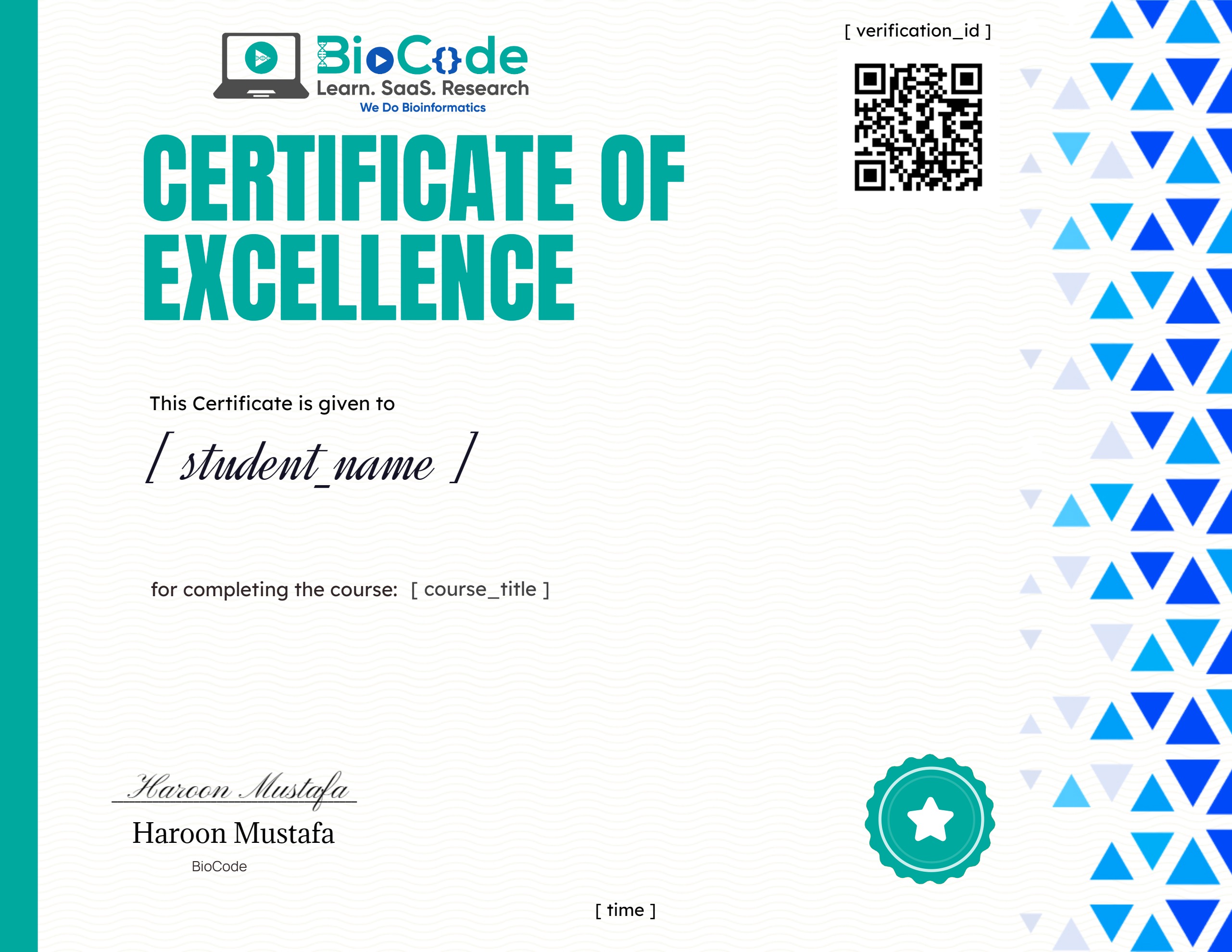
Earn a certificate
Add this certificate to your resume to demonstrate your skills & increase your chances of getting noticed.
Student Ratings & Reviews
Who this course is for
- The target audience for the Advanced Bioinformatician Course are biologists, beginner or intermediate Bioinformaticians or data analysts with no or little experience in applications of computational bioinformatics and analysis.
- However, a superficial understanding of molecular biology and logic development for coding is expected from you before you join the course.
- Bioinformatics is quite easy to get started in, even if you lack a proper understanding of the underlying concepts of Bioinformatics databases, servers, tools and the algorithms working behind them.
Common questions
Do I need any prior experience for this course?
The course is taught from first principles, so you do not need previous experience with the specific tools it covers. A working understanding of molecular biology will help you get more from it.
How long does Bioinformatics Freelancing Training take to complete?
The course contains roughly 50 hours 20 minutes of material across 34 sections. It is self-paced, so you can work through it as quickly or slowly as suits you.
How long do I have access after enrolling?
Access is lifetime. Once you enrol you keep the course and any future updates to it, with no recurring fee.
Do I get a certificate?
Yes — you receive a certificate of completion once you finish the course, which you can share on LinkedIn or include in a CV.
Is this course hands-on or theory only?
It is project-based. You work with real research datasets and run the analyses yourself rather than only watching them being explained.
More in Advanced